Blogging: What Are The Best Website Builders and Hosting Companies to Use for Blogs/Websites?
There's debate as to what website builders and hosting companies to use for blogs/websites. The following, mentioned in this article, are some of the best and most recommended. They're also approved by God, which means they're genuine companies and are therefore trustworthy. Let's be thankful for them. May they continue to be genuine companies.
For the most reliable website designing/building and content management system, Drupal is considered to be the best. Drupal is used by top industries, including for government websites, scientific research websites, and also college websites. Therefore, with its expertise and reliability by top industries and other professionals, and also its credibility over many years of being a genuine company, Drupal is considered to be the best website builder and CMS (content management system) among them all. For web hosting with Drupal, InMotion Hosting is recommended. Understand, however, Drupal does require using a VPS (Virtual Private Server, a dedicated server), and it has a steep learning curve. VPS provides the best security, in comparison to using a shared server. This is why the government, science, and education industries tend to use Drupal for their CMS. In order to use a VPS you need a desktop or laptop computer, because you have to download the Drupal software, build your website onto it as it's on your device, and then you publish it online. Every time you edit or add content to your website, you therefore add it directly onto the Drupal software program that you downloaded, and then you publish it with those updates.
There are plenty of videos on YouTube for how to use Drupal. However, if after researching about Drupal, you find you're not ready yet to use it, there are two other options. The best alternative option for beginners is to use the website builder at Hostinger. It's their in-house website builder that lets you design a website easily by using one of their templates. They have lots of different templates to choose from, including for blogging. By using Hostinger's in-house website builder, you don't need any other content management system, such as WordPress or Drupal. Therefore, you build your website on Hostinger's platform and you publish it on their platform.
The other option is to use a WYSIWYG editor to design your website and then upload it onto either Hostinger or InMotion, by using FTP to upload your website's file. WYSIWYG stands for “What You See Is What You Get.” This means that the way the website appears as you’re designing it in the software program is how it will appear when it’s published. It's generally simple to use this method, with WYSIWYG being an easy website building program to use, but you do have to first download a WYSIWYG editor software program onto your desktop or laptop computer and then build your website on that program. There are several WYSIWYG editors, and WYSIWYG Web Builder is the one most commonly used. (You can download WYSIWYG Web Builder here: https://www.wysiwygwebbuilder.com/download.html). To create a website, you download the WYSIWYG Web Builder onto your computer, then build your website on the software program, and from there, you upload your completed website file onto Hostinger or InMotion, using an FTP file upload program (FileZilla being the one most commonly used, or use another one that you prefer).
Using a WYSIWYG editor for creating a website is a simple way to build a blog/website outside of web hosting platforms, without using any code. It’s only a matter of making sure to have a desktop or laptop for downloading and using the WYSIWYG editor, so you can design your website and also add more content to it over time. You use it also for editing other areas of your website if you need to. Every time you want to edit your website for any reason, you use the WYSIWYG editor that's on your computer, and then you upload that edited file onto your web hosting provider's platform. Web hosting companies make it simple to upload and publish website files onto their platforms, generally by using FTP, with FileZilla being the one most commonly used for uploading files onto web hosting platforms. For How To, here’s the tutorials page for WYSIWYG Web Builder: https://www.wysiwygwebbuilder.com/getting_started.html. You can also search online, including on YouTube, for “how to use WYSIWYG” and “how to build a website with WYSIWYG,” or any other search phrase that’s sufficient for finding information on learning how to use the website building program.
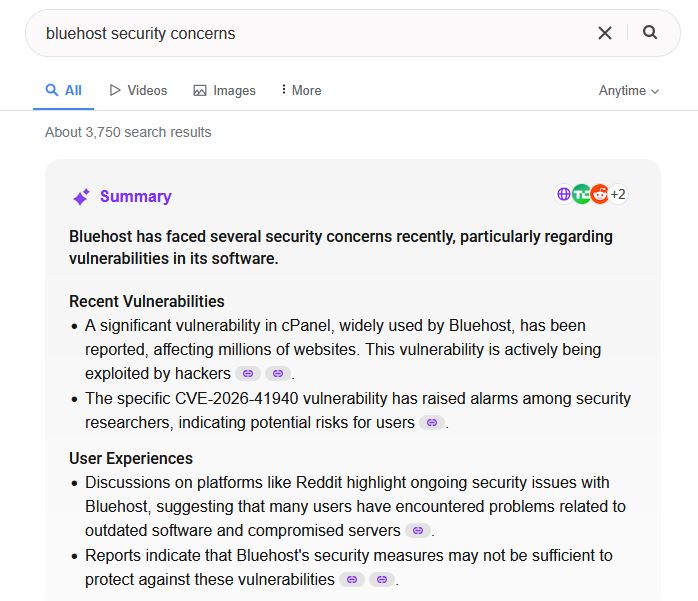
You can use either of those two blog/website design options, if Drupal is too difficult to learn and use at this time. Then, ultimately, if you want to, you can use Drupal once you understand it and are comfortable with utilizing it for your blog/website design projects. Or, you may have decided that either of the other two options is sufficient for your blog/website design, and you don't need to use Drupal. Either way, you can decide on whatever works best for you, for the long-term. InMotion is best for controversial content, and for non-controversial content you can use either of the web hosting companies, Hostinger or InMotion. You can also use offshore web hosting if you’ll be blogging about controversial content. (Research for the most reliable offshore web hosting companies for controversial content, if offshore web hosting is what you prefer.) Overall, to avoid possible future troubles, avoid using WordPress and also any web hosting companies that are untrustworthy, such as Wix, which is owned by the Zionists. Weebly is another one that’s considered unsafe to use, with it possibly being a government spying tool (God told me so; you can ask Him), and Bluehost has proven itself to have security concerns (you can research it for yourself, on Yahoo “bluehost security concerns”).
From there, after having designed and published your blog/website, focus on promoting it by utilizing any of the “25 Marketing Ideas” (posted here) or any others you may have found. That's mainly it. Watch YouTube playlist “Be a Blogger” for more information about blogging. Ignore the recommendations for WordPress. (I'll make another playlist later that isn't overly focused on recommendations for WordPress.) For more blogging information, watch the “Be a Blogger” playlist on the YouTube channel, at YouTube.com/@BewareoftheNarratives. Be sure to research more if you need to, such as reading articles on the subject of “blogging.” You don't have to be an expert to start blogging. You can study it and then begin. You can learn more about “blogging” over time.
Why I No Longer Recommend Using WordPress for Creating and Managing Blogs/Websites [Read the article below for why I no longer recommend using WordPress as a blog/website builder and management platform. There are other options, especially those mentioned above. Read the article below for why I no longer recommend using WordPress as a blog/website builder and management platform. There are other options, especially those mentioned above. The mention about WordPress is in section “Articles (More Information That’s Helpful for Bloggers).”]
//
More Information for Bloggers/Website Owners:
”Marketing for Blogs: 25 Excellent Marketing Ideas for Bloggers” https://write.as/exodustravelsmedia/marketing-for-blogs-25-excellent-marketing-ideas-for-bloggers
“Google Just Did Something HUGE Now People Are LOSING IT” by Jay Reed [Why SEO is no longer the most reliable method for getting traffic to your blog/website. Use SEO for the hopes of being found in searches elsewhere (perhaps even in Yahoo), but don’t rely on being found in Google searches at all. The following video is available also on YouTube, here. For updates about the economy, visit and subscribe to Jay Reed’s channel, also to Large Man Abroad’s channel, Marietta Coleman’s channel, and others. Be sure to also watch playlist “The Economy” on channel BewareoftheNarratives, whether a few minutes of each video that’s on the playlist or the entire video. Be sure to also read the bio for BewareoftheNarratives. Important information is posted there.]